AI Home & Ceramics Packshots: celebrate glaze texture and artisan craft.
Reveal the organic beauty of handmade homeware. AI corrects wide-angle phone distortion, cleanly cuts out delicate mug handles, and honors raw stoneware in 30s.
The 3 physical hurdles of smartphone tableware photography
Round ceramic silhouettes and glossy glazes easily trick smartphone lenses.
Wide-angle distortion on cylindrical mugs and vases
Shot up close, cups and vases look tapered at the base and flared at the rim, warping the proportional design crafted on the potter's wheel.
Flawed cutouts inside handles and hollows
The enclosed loop inside a mug handle or hollow pedestal is frequently missed by auto-cutout tools, leaving messy background halos.
Aggressive specular glare on glossy glazes
Shiny ceramic glazes bounce harsh white reflections from overhead lights, wiping out delicate reactive glaze pooling and artisanal color nuances.
3 Packshot Styles in 1 Click: Which is right for your Home Decor?
From minimalist gallery presentation to cozy, warm interior scenes.
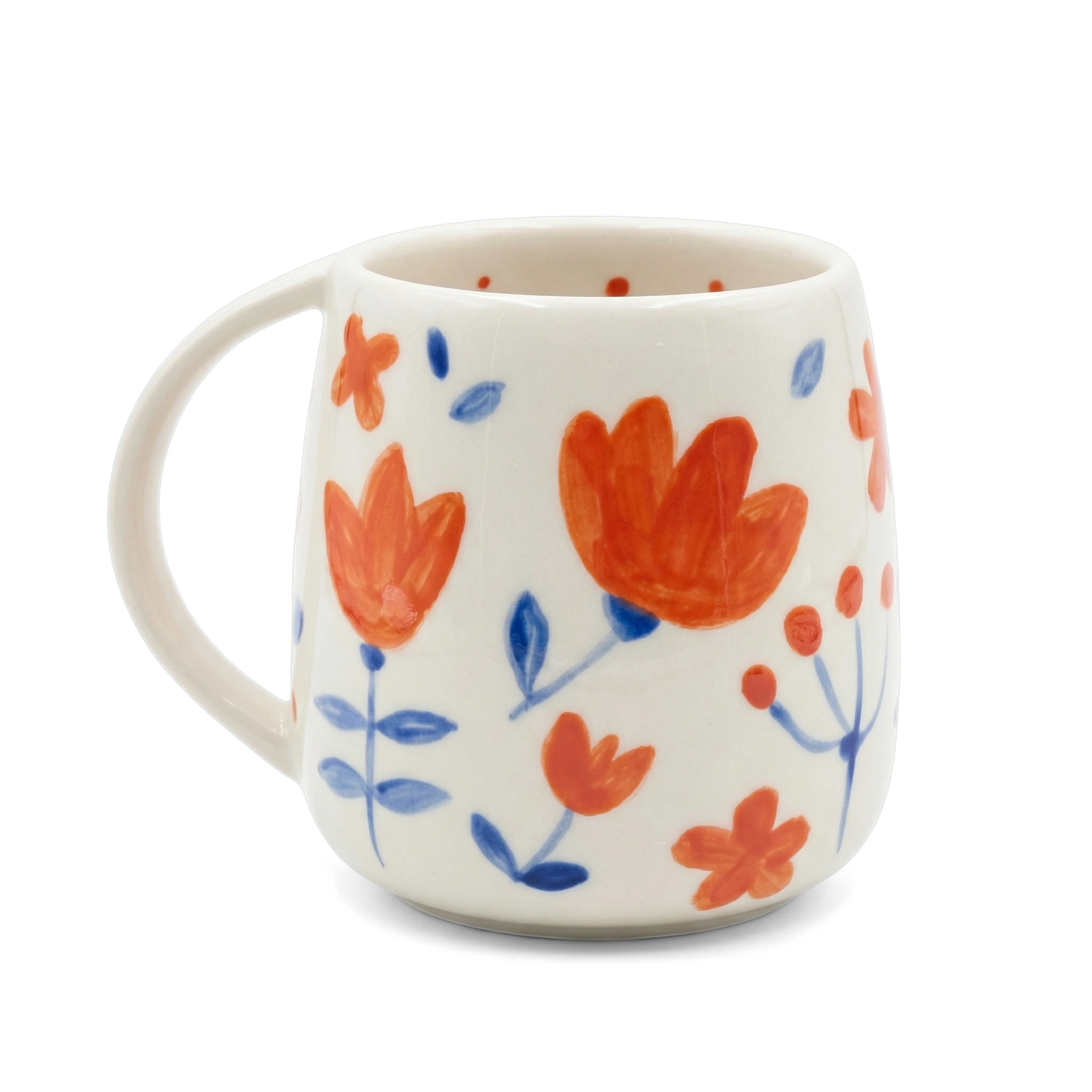
Clean Pure White #FFFFFF Studio
The ceramic piece is centered on pure white with its handle loop cleanly cleared and a soft grounded contact shadow.
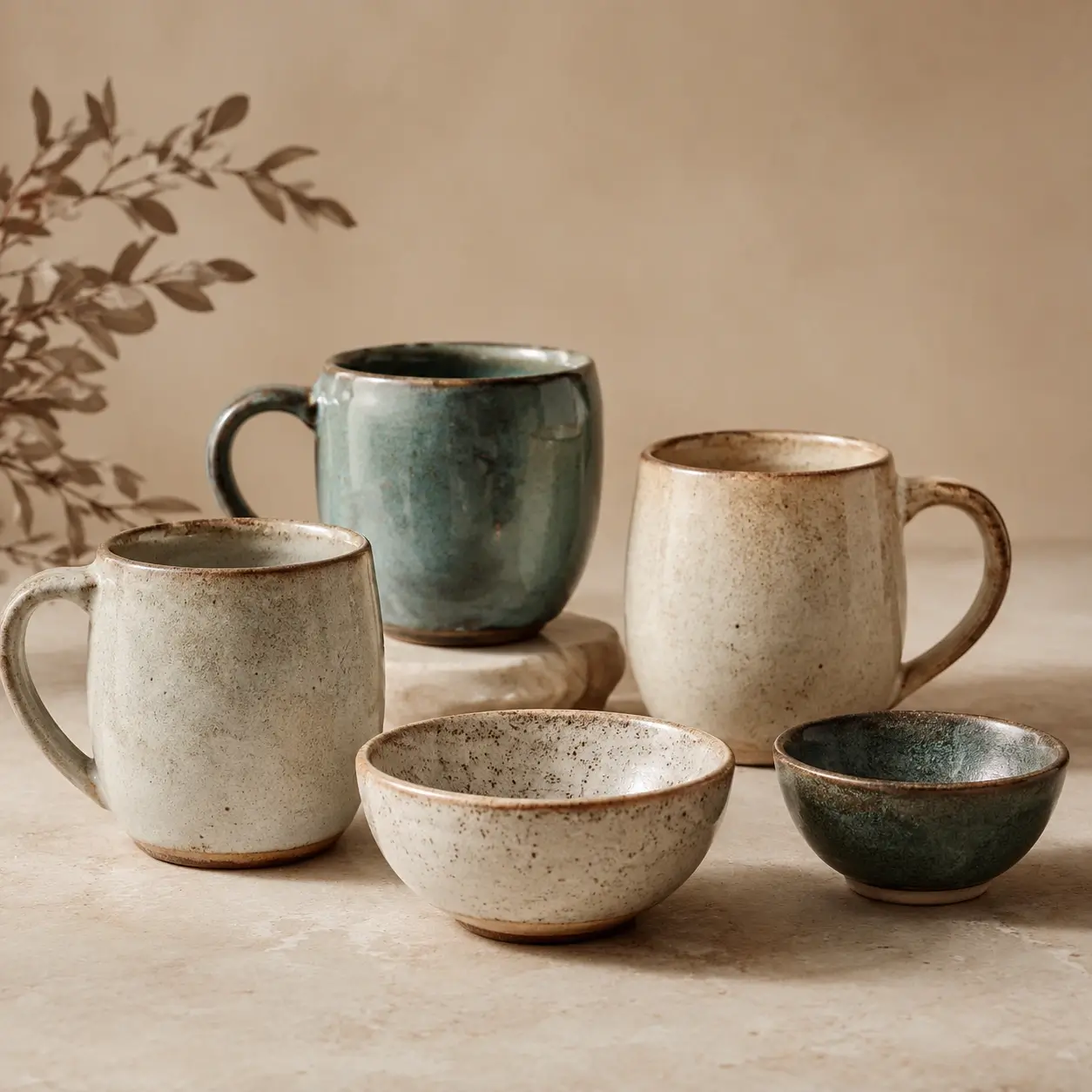
Potter's Workshop & Weathered Wood
Rest your ceramics on weathered timber or an artisan workbench illuminated by warm side light to convey authentic craftsmanship.
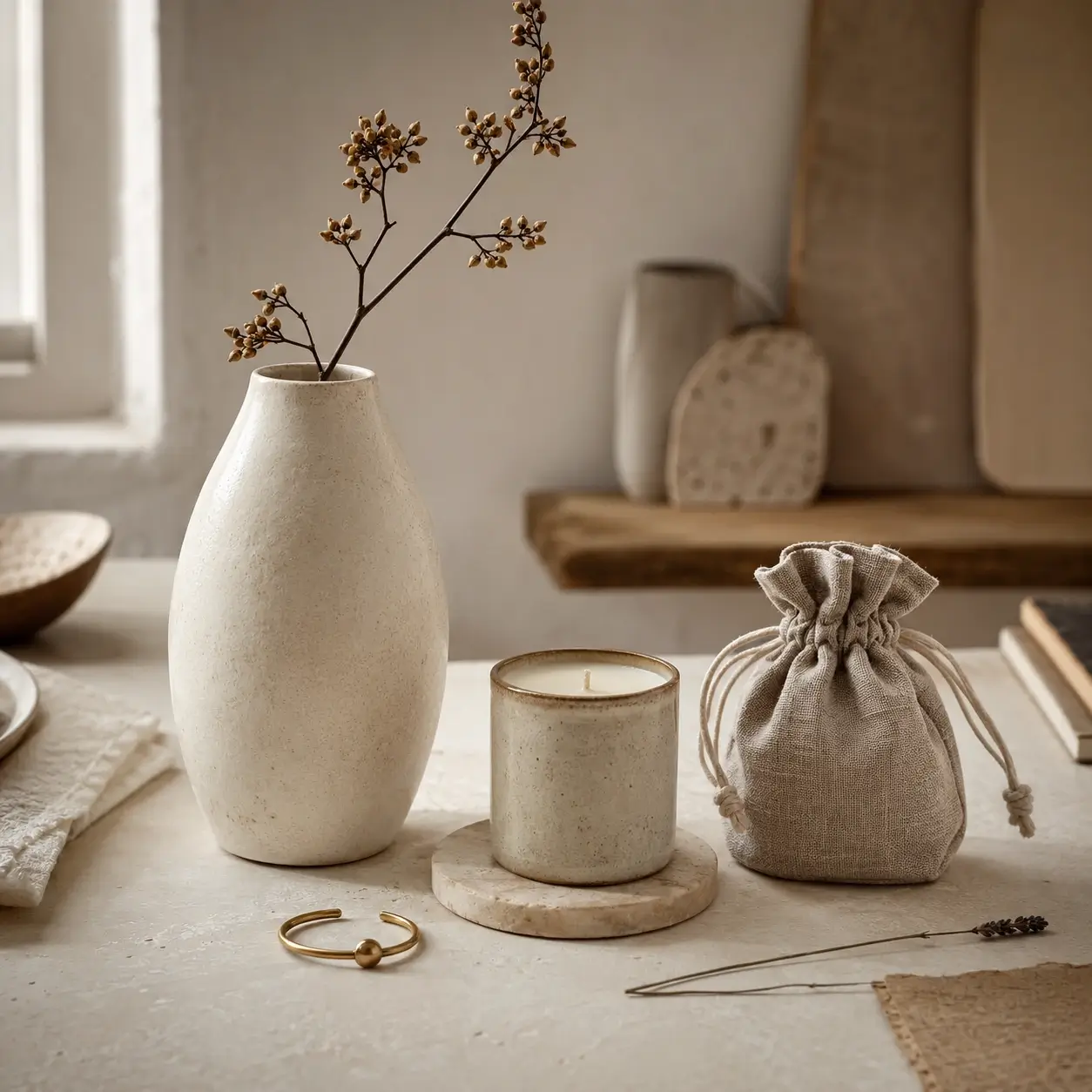
Cozy Scandinavian Interior & Linen Textures
Stage your ceramics alongside tactile linens, scented candles, or dried florals in an airy, minimalist interior.
Smartphone Protocol: Prep your Ceramics in 30 seconds
The fast technique to capture round objects without wide-angle distortion.
Turn the handle 45 degrees towards the lens
A mug handle seen at a slight 45-degree angle immediately illustrates ergonomic grip depth and profile silhouette.
Step back 1.5 meters and zoom to 2x
2x telephoto zoom eliminates mobile fish-eye distortion, ensuring straight vertical walls from base to rim.
Let AI diffuse light across the glaze
Our engine softens harsh glare to reveal the richness of reactive glazes and the tactile granularity of stoneware.
Studio Photographer Tip
Dust out the cup interior before snapping: AI highlights the rim opening with exceptional clarity.
Frequently Asked Questions: Ceramics & Decor Packshots
Everything you need to know about our AI studio processing and precision for this product type.
Explore Our Other Packshot Guides
Discover how SnapPack adapts its image processing pipeline to the specific materials, weights, and volumes of each product category.

Pricing
Choose a plan that suits you
Choose a plan that fits your needs.
Running a Shopify store?
Install the app to manage your credits and plans directly on your monthly Shopify invoice.
Starter
-
50 images
-
Worn on mannequin
-
4K Images
-
History: 30 Days
Premium
-
150 images
-
Worn on mannequin
-
4K Images
-
History: 3 Months
-
Standard ProductivityAdd manual custom suffixes to your files for easier organization.
-
Multi-angle UploadCapture your product from multiple angles (front, back, details) so the AI perfectly understands its volume and details. Up to 3 images allowed. Essential for consistent packshots on all sides.
-
Custom Shape ModelsYou can choose and upload your own shape model to keep an exact positioning for your products.
-
Brand templates
Gold
-
350 images
-
Worn on mannequin
-
4K Images
-
History: 12 Months
-
Advanced ProductivityBarcode scanner, manual suffixes, and generation history retention up to 1 year.
-
Multi-angle UploadCapture your product from multiple angles (front, back, details) so the AI perfectly understands its volume and details. Up to 6 images allowed. Essential for consistent packshots on all sides.
-
Custom Shape ModelsYou can choose and upload your own shape model to keep an exact positioning for your products.
-
Brand templates
-
Custom Background
-
Priority Generation
-
Generation Presets (Bulk Mode)
-
Bulk ExportDownload all your generations at once in a single ZIP archive.
-
Bulk ImportUpload hundreds of images at once. Contact us to learn more.
-
Priority Support
Have a question or a bigger need?
Whether you want to produce a full catalog or simply understand which plan fits, we can review your case together in 30 minutes. You can also email us at contact@snappack.io.
Ready to upgrade your product pages?
Create your first studio visuals with SnapPack.
Upload your first smartphone photo and get a 4K studio render in under 30 seconds. Your first 5 photos are 100% free.